Täglich bieten wir KOSTENLOSE lizenzierte Software an, die ihr sonst bezahlen müsstet!

iPhone Giveaway of the Day - Alloy - launcher and automator
This giveaway offer has been expired. Alloy - launcher and automator is now available on the regular basis.

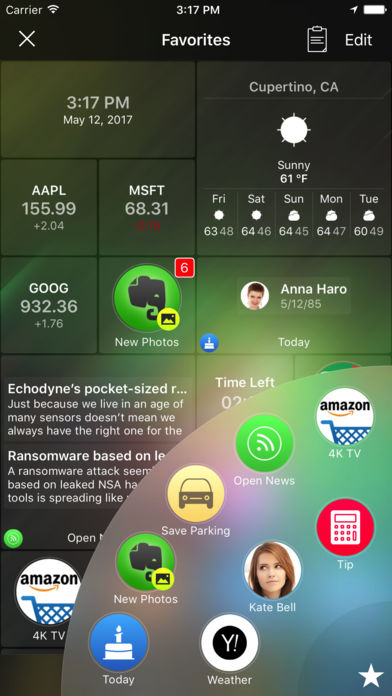
Alloy is all about automating your day-to-day activities. Whether you just need to launch an app or automate many repetitive and complex tasks - Alloy makes it simple and handy. So if you need to post today's photos with added watermark to Facebook, send canned SMS to someone, save and track your parking place and time, etc. - just create corresponding actions and use them again and again.
Alloy combines the best of two worlds:
● Advanced launcher with dynamic favorites based on your habits, location and usage statistics.
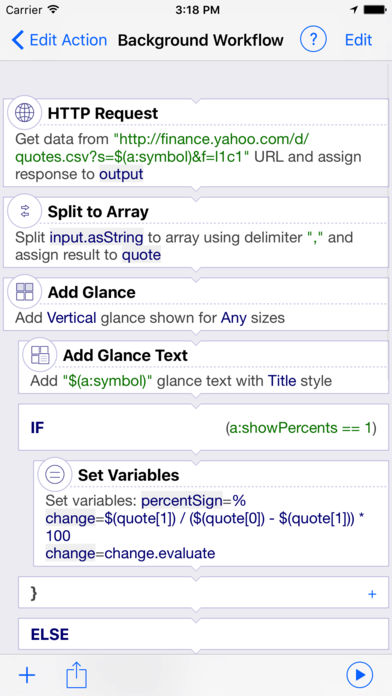
● Sophisticated workflow engine, which allows to build actions utilizing REST Web Services, system and Cloud services, installed apps etc.
Sample actions would be:
● post today's photos with added watermark to Facebook
● calculate tip
● send group SMS and email
● send canned SMS to someone
● save parking place and setup a reminder to leave
● find pizza on Yelp
● upload new photos to Dropbox and send links of them by email
● convert EUR to USD using Convertible
● navigate to certain location using Google Map
● etc.
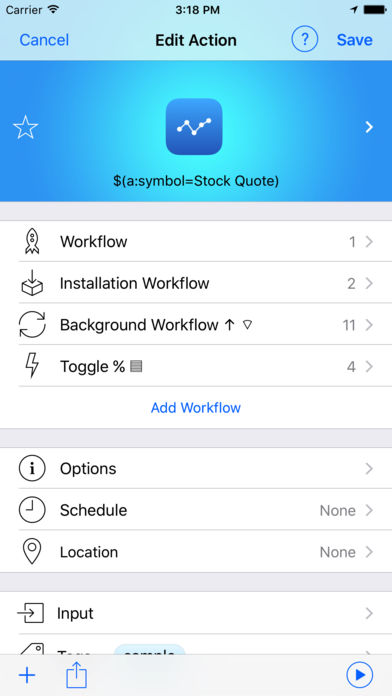
You can either use ready-to-use actions from built-in Action Directory or you can build your own actions using simple yet powerful action editor. You can specify install and launch tasks, use variables and macro, use app icons and contact photos, specify which data is acceptable for action etc
Alloy eliminates the need to browse through several pages full of apps to find an app or action to launch - dynamic Favorites would provide you just right set of needed apps and actions based on your habits, location and usage statistics.
To show Favorites tap the Star button and tap desired action. Or long press the Star button and swipe to desired action. You can pin some actions to Favorites and fine-tune how Favorites are calculated.
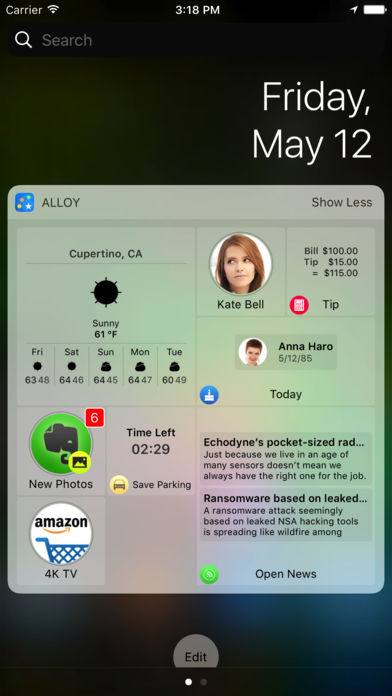
You can even use Alloy Favorites right from any other apps by employing Alloy Widget. Just pull-down the Notification Center, navigate to Alloy Widget and tap to a desired action to launch it.
Any Alloy action can be launched from other apps by opening corresponding links e.g alloy://smsKate. To get a link to an action: turn ON the Edit mode, tap the Share button on the action and choose the "Copy Link". Two-way communication with other apps is also supported via x-callback-url.
Take some time to teach Alloy about your needs and let Alloy greatly improve your life by automating your day-to-day activities.
Entwickler:
32Parrots LLC
Kategorie:
Productivity
Version:
2.0.5
Größe:
82.25 MB
Bewertet:
4+
Sprachen:
English
Kompatibilität:
iPhone, iPad, iPod touch

Kommentare zum Alloy - launcher and automator