Каждый день мы раздаем лицензионные приложения для iPhone БЕСПЛАТНО!
iPhone Giveaway of the Day - Charcoal Studio
Charcoal Studio
доступна бесплатно!
Вы можете скачать и установить её в течение определенного времени.

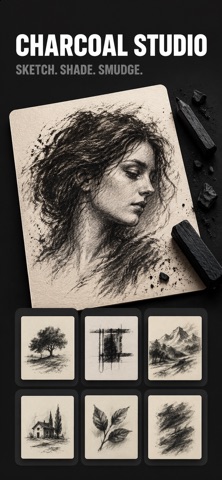
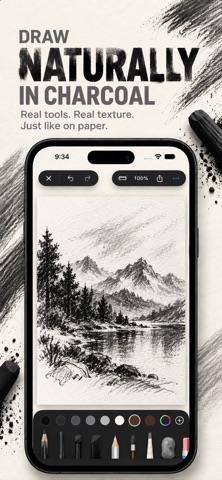
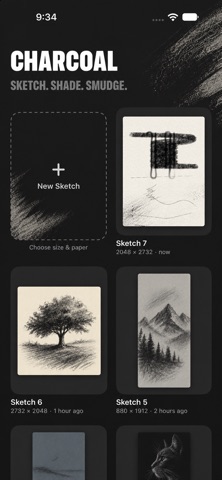
Charcoal Studio brings the feel of a real charcoal sketchbook to iPhone and iPad. Pick up a stick, lay down rich, grainy tone, then blend it into smooth gradients or lift it back out, the way you would on paper.
A FULL CHARCOAL KIT
• Charcoal Pencil: fine lines and crisp detail
• Vine Charcoal: soft, light marks for loose sketching
• Compressed Charcoal: dense, velvety blacks
• Charcoal Block: broad strokes for shading large areas
• White Charcoal: highlights on toned and dark paper
• Charcoal Powder: soft washes of tone
• Lasso: select, move and resize your strokes
BLEND AND LIFT LIKE THE REAL THING
• Blending Stump: push charcoal into the paper’s grain, soften hard edges and build smooth tonal transitions. It moves only charcoal, never the paper, so your darks stay rich.
• Kneaded Eraser: dab or drag to lift charcoal gently and add highlights. It follows the tooth of the paper, so lightened areas keep their natural texture.
• Eraser: clean removal whenever you need it.
MADE FOR APPLE PENCIL
• Pressure and tilt shape every mark
• Strokes are smoothed so blending and erasing follow your hand without jagged corners
• Double-tap or squeeze Apple Pencil to switch tools or show tool settings
• Draw with your finger too, or turn finger drawing off for Pencil-only work
PAPER WITH TOOTH
• Five papers: white, cream, toned gray, slate and black
• A real paper grain shows through every stroke
• Choose your canvas: portrait, landscape, square, or any custom size from 256 to 4096 pixels
AN EXPERIENCE THAT FEELS ANALOG
• Hear the scratch of charcoal when you hatch, while ordinary lines stay quiet
• Pinch to zoom and pan around your page
• Ruler for straight edges
• Charcoal-tone palette, plus your own saved colours
• Size, opacity and strength controls for every tool
YOUR SKETCHBOOK
• Every sketch saves automatically
• Unlimited sketches in your gallery
• Undo and redo as many steps as you need
• Export at full resolution and share anywhere
Everything stays on your device: no account and no sign-up. Focus on your drawing. Leave the dust on the paper.
Privacy policy: https://digitalhole.github.io/LilArtist.html
Standard Apple Terms of Use (EULA): https://www.apple.com/legal/internet-services/itunes/dev/stdeula/
Разработчик:
Digital Hole Pvt. Ltd.
Категория:
Graphics & Design
Версия:
1.0
Размер:
13.89 MB
Возраст:
4+
Языки:
English
Совместимость:
iPhone, iPad

Комментарии