Täglich bieten wir KOSTENLOSE lizenzierte Software an, die ihr sonst bezahlen müsstet!

iPhone Giveaway of the Day - GoodNotes 6
GoodNotes 6
ist verfügbar als Giveaway of the day!
Ihr habt nur begrenzt Zeit, es herunterzuladen und zu installieren.

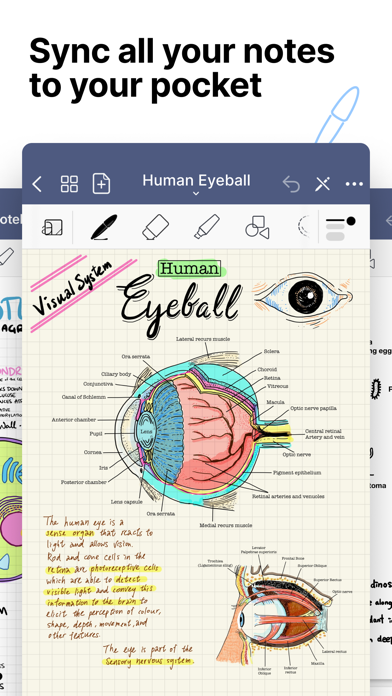
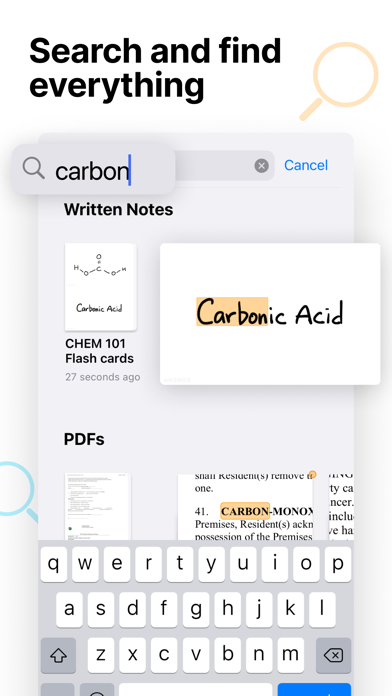
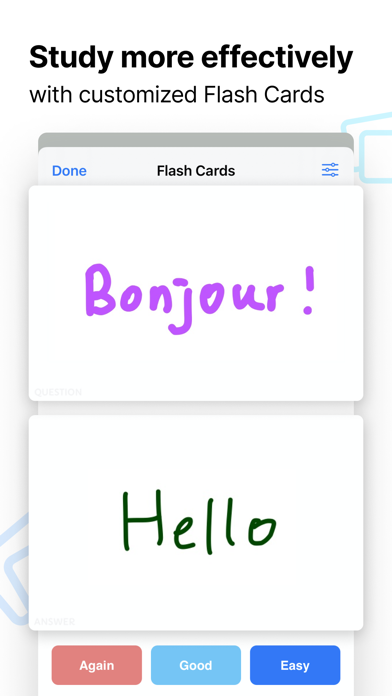
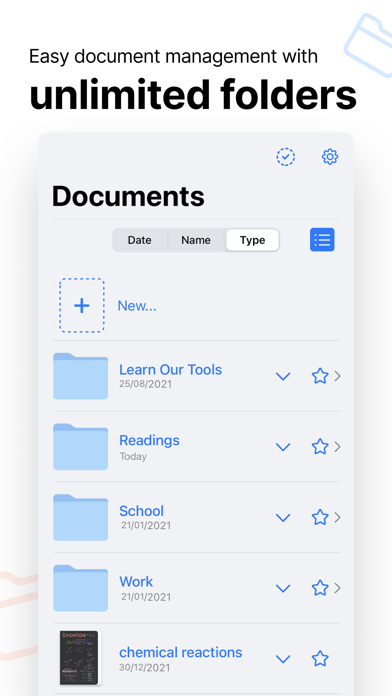
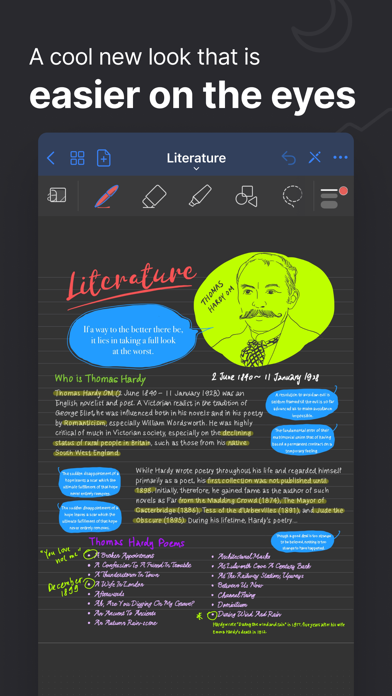
Take beautiful, searchable handwritten notes with the note-taking app that turns your iPad into digital paper. See why GoodNotes is Editors’ Choice. Download now and unlock on all platforms. Available on the iPad, Mac, and iPhone.
WRITE - BETTER THAN REAL PAPER
• Enjoy a fluent, precise, and completely natural writing experience thanks to GoodNotes pioneering vector ink engine.
• Select and customize your pen color, thickness, pressure sensitivity, and style (fountain pen, ball pen, brush pen, and highlighter).
• Write with the Apple Pencil, Logitech Crayon, or other capacitive styluses.
• Convert your handwriting to text in the same page or share it with other apps.
SEARCH AND FIND - NEVER LOSE YOUR NOTES
• Search your handwritten notes, typed text, PDF text, document outlines, folder titles, and document titles.
• Create unlimited folders and subfolders, or mark your Favorite ones to keep everything organized.
• Create custom outlines for easier navigation through your documents.
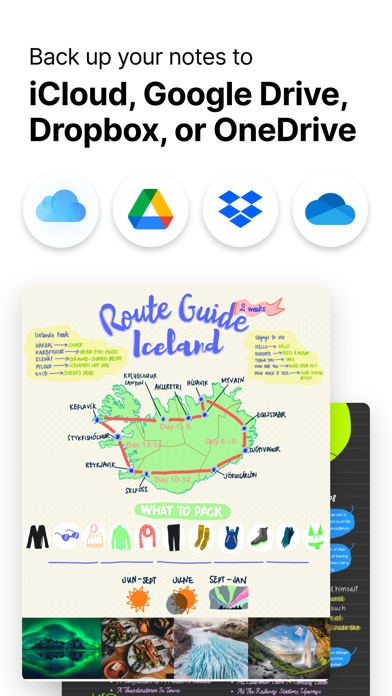
• Back up all your notes to iCloud, Google Drive, Dropbox, and OneDrive and sync across all devices so you will never lose them.
ANNOTATE - MARKUP PDFS, LECTURE SLIDES & DOCUMENTS
• Import PDF, PowerPoint, Word, images, photos and more.
• Scan any paper documents and import them to your library with built-in OCR.
• Annotate documents right on your iPad with customizable pens, highlighters, stickers, and shape tools.
• Open notes or documents side by side on iPad for easy referencing.
• Use tabs to quickly switch between open documents.
• Add hyperlinks to external websites, videos, articles to build your knowledge map.
CREATE - UNLOCK YOUR CREATIVITY
• Move, resize, zoom, and rotate your handwriting or change colors.
• Draw perfect shapes and lines with the Shape Tool.
• Support gesture control for faster undo & redo.
• Choose to erase the entire stroke, only parts of it, or only highlighters to leave the ink intact.
• Select to edit or move a specific object with the Lasso Tool.
• Add, create, or import your stickers, pictures, tables, diagrams, and more with Elements to enrich your notes.
• Choose from a large set of beautiful covers and useful paper templates, including Blank Paper, Ruled Paper, Cornell Paper, Checklists, To-dos, Planners, Music Paper, Flashcards, and more.
• Upload any PDF or image as a custom notebook cover or paper template for more customization.
PRESENT - SHARE & TEACH FROM YOUR IPAD
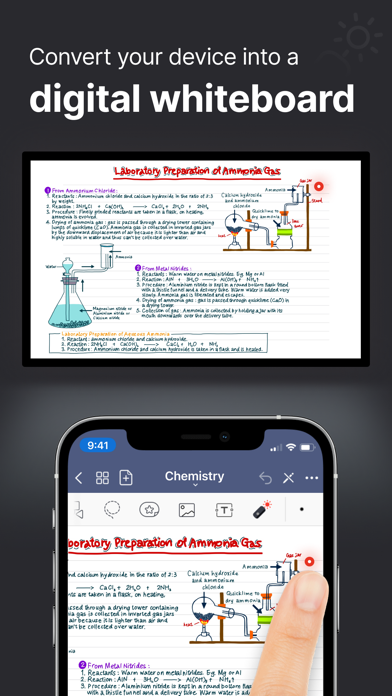
• Present a lecture, a lesson, a business plan, a brainstorming result, or your group study without distractions when you connect your device via AirPlay or HDMI to an external screen.
• Use Laser Pointer on your iPad to guide your audience’s attention during your presentation.
• Move around freely and interact with the audience while adding new information to the digital whiteboard.
SHARE - COLLABORATE ON THE SAME DOCUMENTS
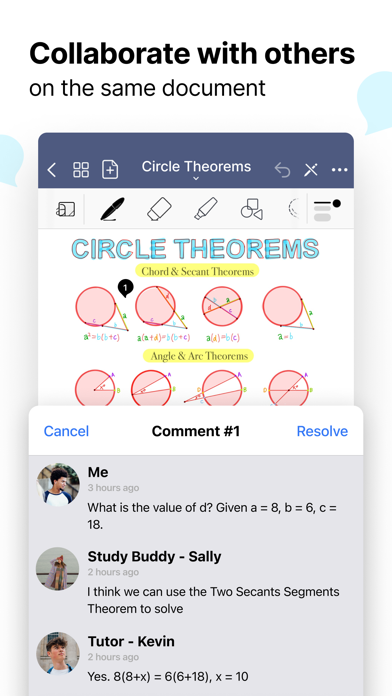
• Collaborate with others on the same document using a sharable link.
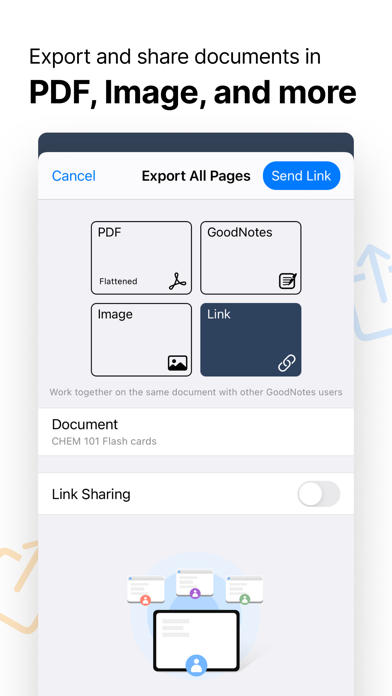
• Export documents in PDF or image for printing, or share them with others for a fully digital workflow.
• Forward important emails with PDF attachments to your unique GoodNotes email address to automatically add them to your library.
---
Download GoodNotes 5 for free on iPad, Mac, and iPhone and create your first 3 notebooks for free.
Get the full GoodNotes experience with a One-Time Unlock In-App Purchase (IAP):
- Create unlimited notebooks
- Unlock handwriting recognition to search handwritten notes
- Import documents via e-mail
- Prioritized email support
GoodNotes supports Apple’s Universal Purchase which means you can purchase once to unlock GoodNotes on all your iOS, iPadOS, and macOS devices for free.
---
Website: www.goodnotes.com
Twitter: @goodnotesapp
Instagram: @goodnotes.app
Pinterest: @goodnotesapp
TikTok: @goodnotesapp
Entwickler:
Time Base Technology Limited
Kategorie:
Productivity
Version:
5.9.0
Größe:
240.41 MB
Bewertet:
4+
Sprachen:
Dutch, English, French, German, Italian, Japanese, Korean, Portuguese, Russian, Chinese, Spanish, Thai, Chinese, Turkish
Kompatibilität:
iPhone, iPad

Kommentare zum GoodNotes 6