毎日 通常購入しなくては使用できないソフトウエアを無料で提供します!
iPhone Giveaway of the Day - MidiFlow Piano
MidiFlow Piano
は今日のGiveawayとして利用可能です!
限定期間のみダウンロード可能

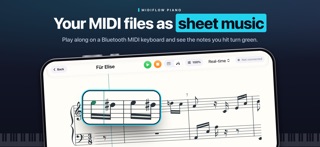
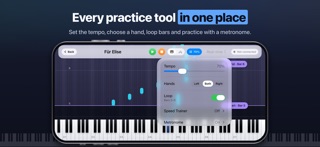
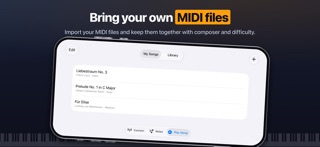
Practice your MIDI pieces with MidiFlow Piano on iPhone. Import a MIDI file, connect a Bluetooth MIDI keyboard, and follow the music as sheet notation or falling notes.
Free to download:
• Practice at your own pace in Triggered mode, which waits for the highlighted notes.
• Use Real-time mode with a three-second count-in and pause or resume where you left off.
• Switch between sheet music and piano roll while keeping your place.
• Start with the included classical pieces and see feedback on the notes you play.
• Add freely licensed pieces from the Free Classical Pieces catalog.
• Set the tempo from 40% to 150%.
• Import one MIDI file of your own.
MidiFlow Unlimited, a one-time in-app purchase:
• Import as many MIDI files of your own as you like and keep them with titles, artists and difficulty levels.
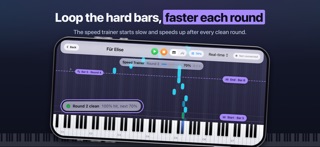
• Loop any bars: drag two handles that snap to the barlines, in the piano roll or in the sheet music.
• Let the speed trainer start a loop slowly and speed up after every clean round, up to your target tempo.
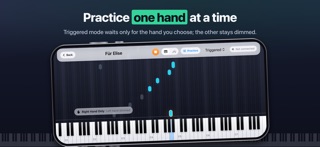
• Practice one hand at a time; the other hand stays visible but dimmed.
• Add a metronome click that follows the time signature.
Bought MidiFlow before it became free to download? Every feature stays unlocked for you.
Designed for players who are already familiar with piano and MIDI. Imported files stay on your device.
The app interface is currently in English. Playing along requires a keyboard or digital piano with Bluetooth MIDI (BLE-MIDI). Requires iPhone with iOS 26.2 or later.
開発者:
Timothy Krechel
種類:
Music
バージョン:
1.3.2
サイズ:
9.36 MB
批評ポイント:
4+
言語:
English
互換性:
iPhone, iPad

コメント MidiFlow Piano