Täglich bieten wir KOSTENLOSE lizenzierte Software an, die ihr sonst bezahlen müsstet!
iPhone Giveaway of the Day - PDF Cropper: Auto Crop & Split
PDF Cropper: Auto Crop & Split
ist verfügbar als Giveaway of the day!
Ihr habt nur begrenzt Zeit, es herunterzuladen und zu installieren.

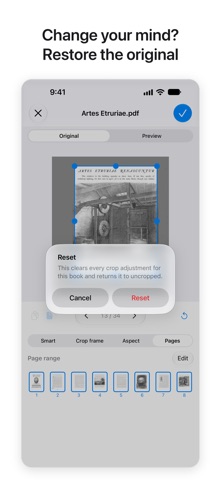
Professional-grade PDF cropping. Remarkably simple.
Get scanned books and PDFs ready for your e-reader, tablet or phone.
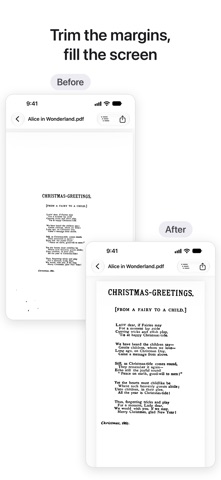
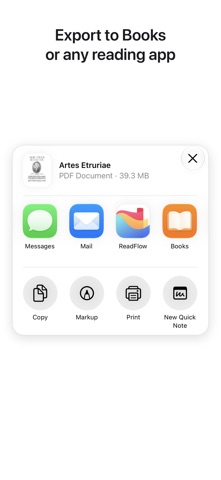
PDF Cropper trims the blank margins around every page and splits two-page spreads into single pages, so the text fills your screen. You can also fix the title and author, so each book shows up with the right name in your library.
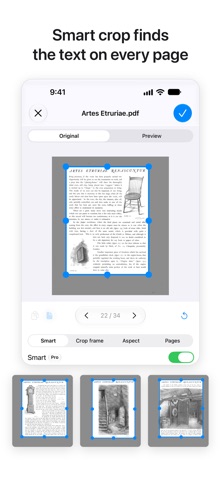
NEW: SMART CROP
• Finds the text on each page, even in scanned books with no text layer
• Often leaves out stray page numbers in the margins
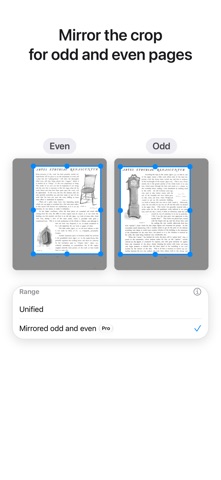
• Crop each page on its own, use one box for the whole book, or mirror the box for odd and even pages
• Covers, full-page pictures and blank pages can stay as they are or be cropped separately
• Choose the margin around the text: none, small, medium or large
MANUAL CROP
• Drag the corners and edges of the crop box, with everything outside it dimmed
• Use one box for every page, or adjust just the current page
• Mirror the box for odd and even pages, or give each page range its own box
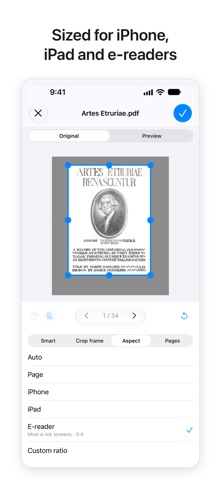
• Aspect presets for iPhone, iPad and e-readers (3:4), the original page shape, or a ratio of your own
• Presets widen the box to fit the shape, so no text gets cut off
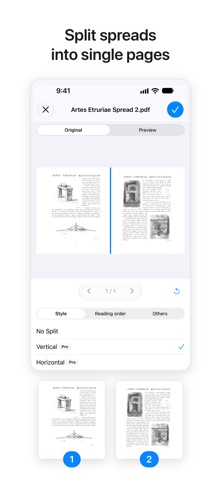
NEW: SPLIT PAGES
• Split each page into two side by side, two top and bottom, or four
• Drag the split line exactly where you want it
• Pick the reading order, including right to left for manga and right-to-left books
• Pages are cropped first and split after, so every half comes out trimmed
NEW: EDIT METADATA
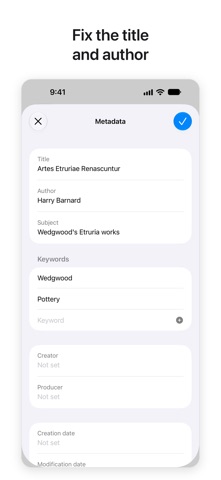
• View and edit the title, author, subject, keywords, creator, producer and dates
• Your book shows the right title and author on your e-reader and in other apps
KIND TO YOUR FILES
• Your original PDF is never changed, and you can go back to it at any time
• Exported PDFs keep their text, links and table of contents
• Cropped files open the way you expect in your e-reader and other PDF apps. If a reader still shows the old margins, turn on Compatible mode
ON IPHONE, IPAD AND MAC
Import from Files, open PDFs from other apps, or drag them in. On iPad and Mac, your library and the open book sit side by side.
FREE AND PRO
PDF Cropper is free to download. Manual cropping with one box for all pages or the current page, every aspect preset, and unlimited exports are free, with no watermark.
PDF Cropper Pro adds smart crop, odd and even pages, page ranges, split pages and metadata editing. You can try Pro features for free before you buy. Pro is a one-time purchase with no subscription, and it works on iPhone, iPad and Mac with the same Apple Account.
If you bought PDF Cropper when it was a paid app, you get Pro automatically; if you don’t see it, tap Restore Purchases in Settings.
Terms of Use: https://www.apple.com/legal/internet-services/itunes/dev/stdeula/
Privacy Policy: https://is.gd/6HqQHm
Entwickler:
实 许
Kategorie:
Utilities
Version:
3.0.2
Größe:
8.19 MB
Bewertet:
4+
Sprachen:
English, French, German, Italian, Japanese, Korean, Portuguese, Chinese, Spanish, Chinese
Kompatibilität:
iPhone, iPad

Kommentare zum PDF Cropper: Auto Crop & Split