Iedere dag bieden wij GRATIS software met licentie waarvoor je normaliter moet betalen!
iPhone Giveaway of the Day - Daily Notes Planner 3
Daily Notes Planner 3
is beschikbaar als een Giveaway of the Day!
Je krijgt een beperkte tijd om het te downloaden en te installeren.

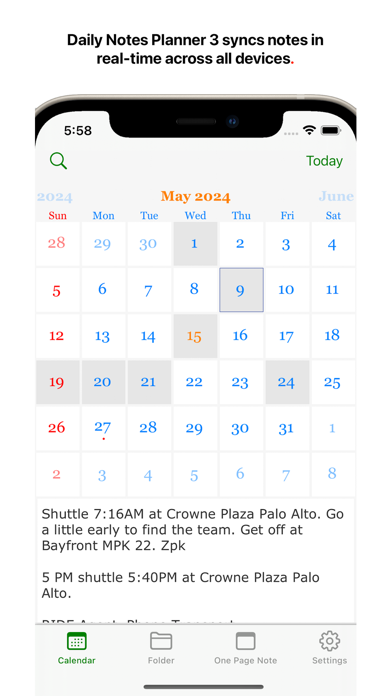
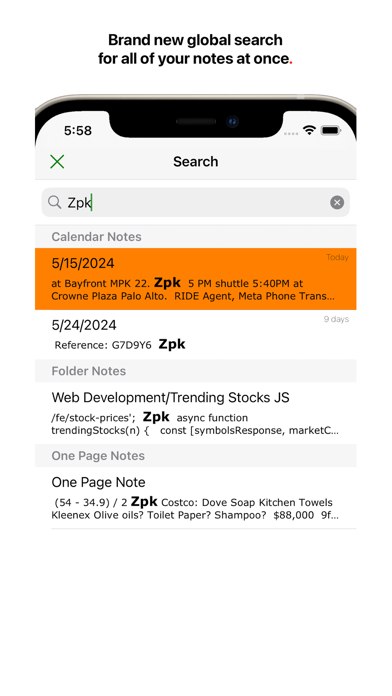
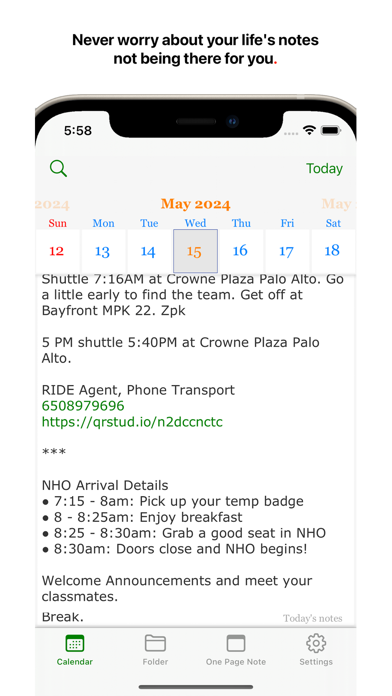
Daily Notes Planner 3 is the simplest notes app that satisfies all of your life's needs for notes, and much improved from Daily Notes Planner 2, it improves the UI and search and syncs your notes automatically, in real-time across all of your devices.
As a much simpler calendar app than the built-in iCalendar app, Daily Notes Planner 3 allows you to type in plain-text-notes for every date (no complicated hourly scheduling or reminders here). Because notes are organized by date, you will know exactly where to look for when you reference them later. Tap on the date in the calendar to go into that date and record or reference notes. The dates with notes are highlighted in the calendar.
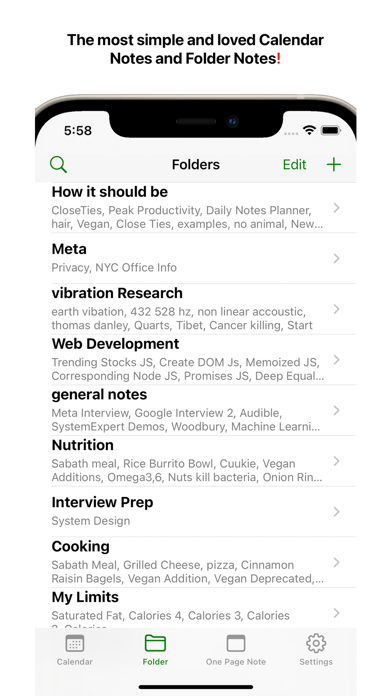
"Folder Notes" organizes your notes with folders and files. Create folders and note files inside them. Also, you can long press any file or folder row to change its name. Also you can press "edit" button in the bottom to delete or rearrange rows.
N.B. The two notes formats: calendar notes and folder notes would satisfy all of your life's needs for notes, and they are super intuitive to use. One more super tip: it is much easier to type your notes on your Mac so please check out Daily Notes Planner 3+ in the Mac App Store too so that you can edit your notes both from the Mac and the iPhone. You just have to log in with the same Email address on those devices to sync the same notes.
"One Page Note" has just one page of note. If you need to jot something and don't want to save it permanently, this is a good place to put it.
To transfer your notes from Daily Notes Planner 2, use the Mac version of Daily Notes Planner (it is FREE to download) and in the top menu, click "Cloud" -> "Save all notes to Daily Notes Planner 3". Your notes are tied to an Email address so if you login with the same Email address in multiple devices, they all will sync automatically, securely, and instantly. In fact, you could even do real-time corroborations with multiple people because notes sync so quickly.
Privacy Policy and Terms: https://dailynotesplanner.com/privacy_policy.html
Ontwikkelaar:
Truth Honest Messaging, Inc.
Categorie:
Utilities
Versie:
1.20
Grootte:
9.65 MB
Waardering:
4+
Talen:
Arabic, Dutch, English, French, German, Italian, Japanese, Korean, Portuguese, Russian, Chinese, Spanish, Chinese, Turkish
Compatibiliteit:
iPhone, iPad

Reactie op Daily Notes Planner 3