Iedere dag bieden wij GRATIS software met licentie waarvoor je normaliter moet betalen!

TVAirScreen
is beschikbaar als een Giveaway of the Day!
Je krijgt een beperkte tijd om het te downloaden en te installeren.


Pass the remote, not the phone.
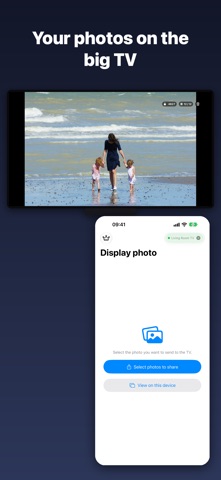
Stop crowding around one tiny screen. TVAirScreen puts your photos on your Apple TV in seconds, so the whole room can enjoy them together — big, bright and easy to browse with the Siri Remote.
NO SETUP. NO ACCOUNTS. NO APPLE ID.
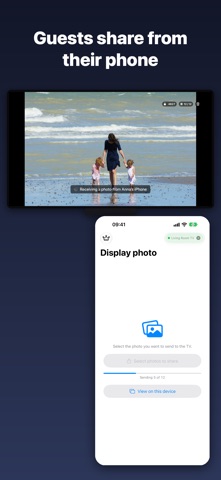
Your iPhone and Apple TV connect directly. There's no AirPlay to configure, no Apple ID to share and nothing to sign up for. Guests can put their own photos on your TV without touching your settings.
A CODE FOR NEW PHONES
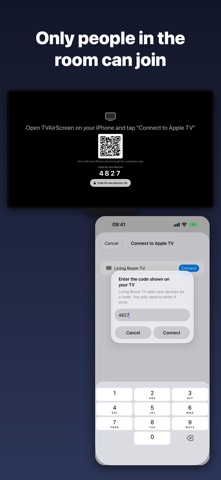
Your TV shows a 4-digit code. A new phone enters it once and is remembered from then on. Phones that already use your TV keep working.
WHY YOU'LL LOVE IT
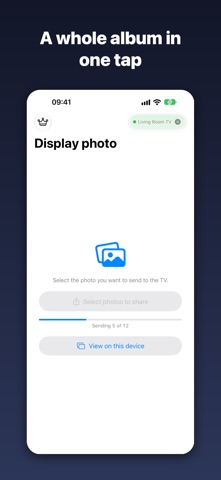
• Send a whole album in one go — photos arrive in the order you picked them
• Press Play/Pause on the Siri Remote for an instant, looping slideshow
• Swipe left and right to browse on the big screen
• Share straight from Photos, Files or Safari with the TVAirScreen share button
• Send PDFs — every page becomes a slide. Perfect for sheet music, lessons and presentations
• Pick from Photos or Files, or take a new photo with the camera
• Your iPhone stays awake while connected, so the show keeps going
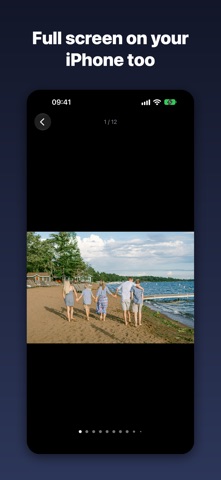
• View photos and PDFs full screen on your iPhone, with pinch-to-zoom
MADE FOR MOMENTS LIKE
• Holiday photos with the grandparents on the couch
• Parties, weddings and reunions — every guest can add their shots
• Travel slideshows the evening you get home
• Classrooms, meetings and presentations
• Choir, band and church rehearsals with the music on the big screen
• Holiday rentals — let your guests share to the TV
FREE TO START. PRO IS YOURS FOREVER.
Send up to 5 photos at a time for free, with no account. Unlock Pro once — no subscription — for unlimited batches and PDFs. Bought TVAirScreen before it became free? Pro is already yours.
GET STARTED
1. Install TVAirScreen on your Apple TV, or scan the QR code it shows.
2. Open TVAirScreen on your iPhone and tap “Connect to Apple TV”.
3. Enter the code from the TV the first time, choose your photos, and watch them appear.
Requires the TVAirScreen app on your Apple TV.
Ontwikkelaar:
翔宇 孙
Categorie:
Productivity
Versie:
2.9.0
Grootte:
4.51 MB
Waardering:
4+
Talen:
Arabic, English, French, German, Japanese, Portuguese, Russian, Chinese, Spanish, Chinese
Compatibiliteit:
iPhone, iPad

Reactie op TVAirScreen